Electric bicycles

  • Keep in mind your battery consumption: the more help, the faster the battery consumption.
  • Also a lot of headwind, driving uphill, carrying a lot of luggage? More battery consumption.
  • Towing a bike trailer: count up to 30% more consumption.
  • An electric bike offers only assistance up to 25km/h. Once you drive faster, the engine no longer provides assistance and you drive under your own power.
  • Don't forget the bike locked set when stopping somewhere: turn the key of the lock slightly and push the knob down. Remove the key from the lock.
  • The display of the bicycle is fixed to the bike and can be do not decrease!

Bicycle with SHIMANO mid-motor

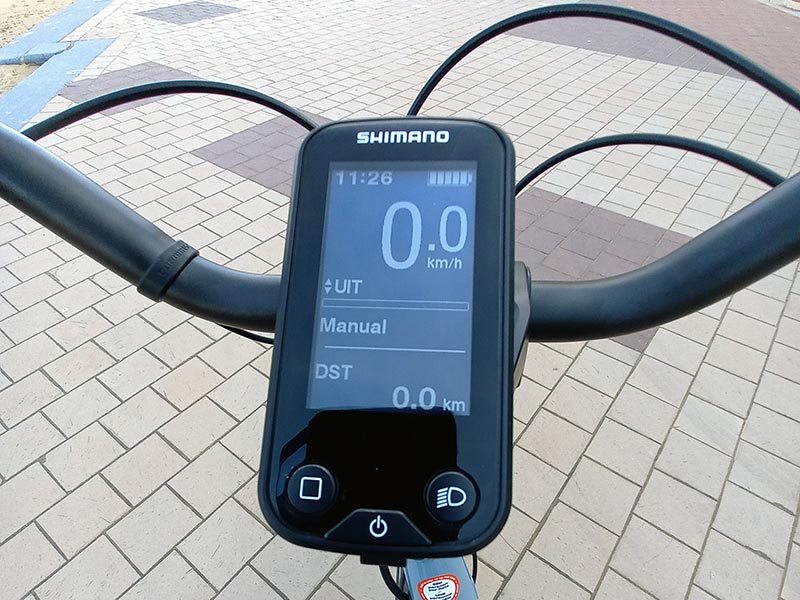
Switching on the display: press and hold the lower button in the middle until you hear a beep.
Do not place feet on the pedals when putting the bike on!!!
You must therefore stand next to the bike to switch it on. Once the display lights up, you may get on the bike. The bike is still not helping: it is OFF.

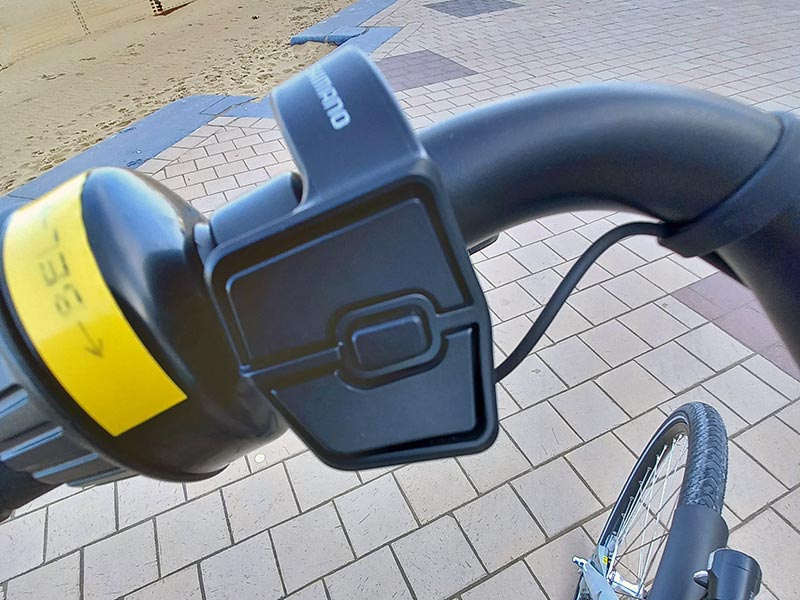
When you push the upper button on the left side of the steering wheel, the assistance is switched to ECO.
For further assistance, press the upper button again: NORM
Again for maximum help: HIGH
Note: the more help, the faster the battery degrades!

Pressing the lower button reduces the assistance:
HIGH - NORM - ECO - OFF
Pressing the upper button gives you more help:
OFF - ECO - NORM - HIGH

The small button in the middle is for viewing the Functions at the bottom of the display:

  • DST: your mileage
  • ODO: the total km of the bicycle
  • RANGE: your driving range according to the capacity of the battery at the moment according to the different assistance modes
  • TIME: the time you have been cycling with the display switched on
  • AVG: the average speed you have driven during your trip
  • MAX: your maximum ride speed. Please note that an electric bicycle only provides assistance up to 25 km/h. 

At the bottom of the display you have 3 buttons:
The button with the square has the same function as the middle button on the left of the handlebar: scrolling in the lower functions of the display.
The middle button at the bottom is to switch the bike on or off: long press until you hear a beep signal and the display lights up. (DO NOT PUT YOUR FEET ON THE PEDALS WHEN TURNING THE BIKE ON!!!) Pressing this button again switches the bike off.
The right-hand button serves to adjust the light turn on.

When you stop cycling somewhere, you can switch the bike off (with the on/off button)
The bike also switches itself off automatically when you don't use it for a few minutes.
The battery is locked with a separate key and cannot be removed!
Don't forget the bike locked set: turn the lock key slightly and push the knob down. Remove the key from the lock.

Should there be a problem turning the display on, you can also do this by pressing the small button on the left side of the battery. This also has the function of switching on. The display will then light up, as well as some green lights next to this button.

Bicycle with motor in rear wheel

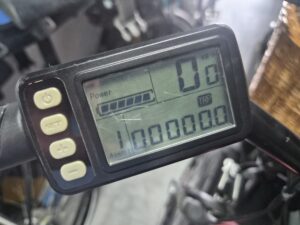
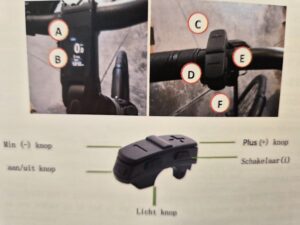
Left photo:

Push the middle button until the display lights up. At the top right is the assistance. More assistance by pushing the +, less assistance by pushing the -. Note: the more assistance, the faster the battery decreases!

When you press the middle button (on/off), you can see in your distance, time, average and max speed.                                        Light of the bike on: press the + for a few seconds.

Don't forget the bicycle locked set: turn the lock key slightly and push the knob down. Remove the key from the lock.

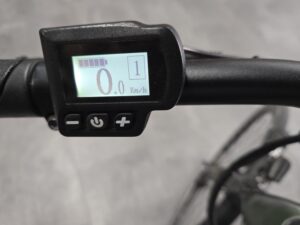
Right photo:

Press the upper button of the display. Wait a moment until the display is completely illuminated.
The bottom left of the display shows the assistance provided by the engine (ASSIST): a number from 0 to 9: 0 is no assistance, 1 is a minimum of assistance, 9 is a maximum of assistance.
Note: the more help, the faster the battery degrades!

You can reduce the help with the lower button: -
You can ask for more help with the second button from below: +.

The third button is for scrolling in the display:
Total bike mileage, the time of your ride, your mileage of your ride and the maximum speed you drove during your ride.
Light of the bike on: press the top button of the display again when it is on.

Don't forget the bike locked set: turn the lock key slightly and push the knob down. Remove the key from the lock.

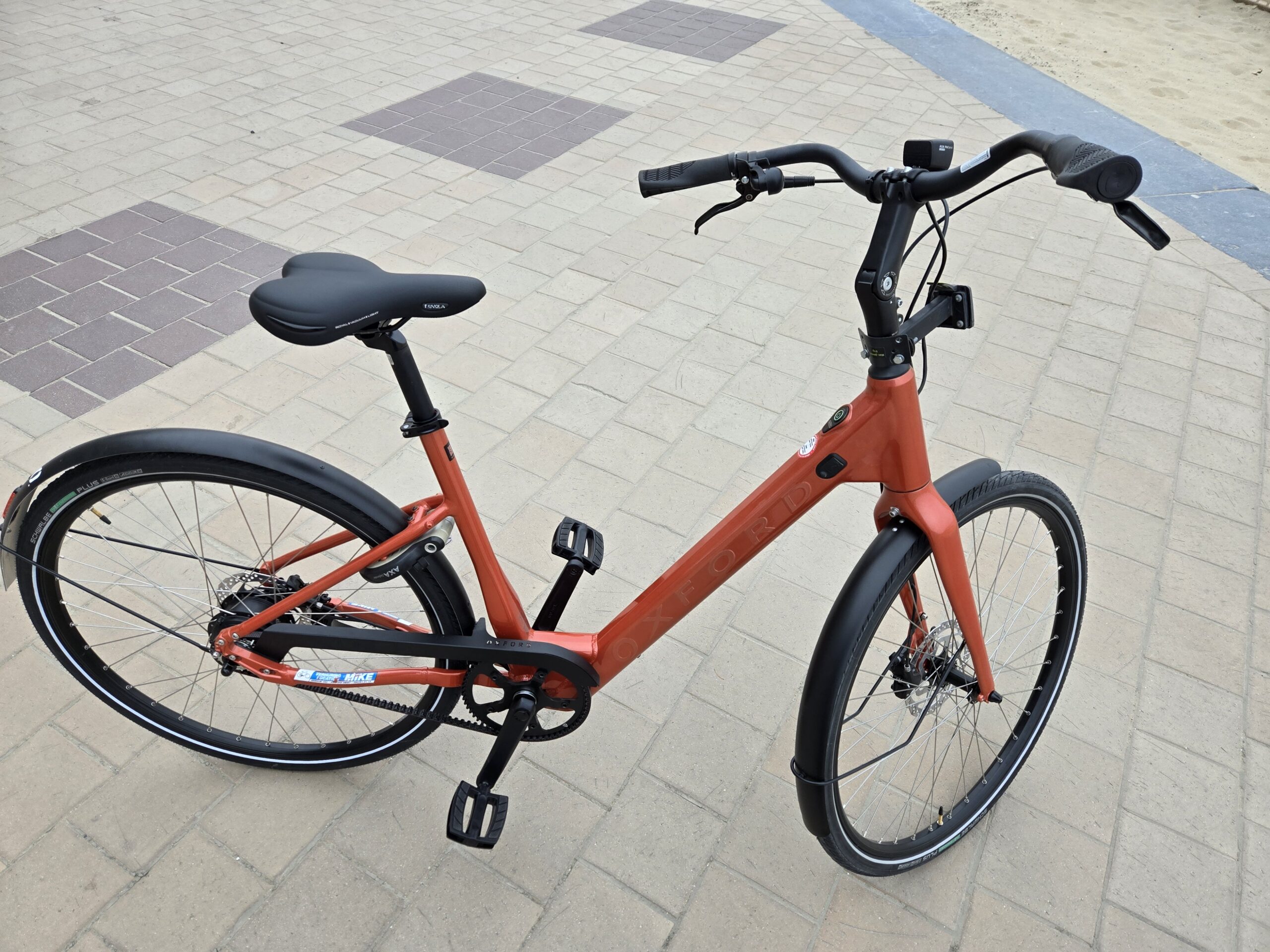
Oxford Commuter with Bafang rear-wheel motor (no display):


This is a new type of electric bike: very simple, without many buttons, gears and settings: switch on and drive...

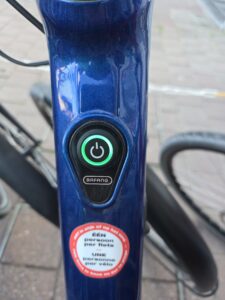
One turns the bike on by pressing the on/off button for a few seconds until a light lights up around the button. The bike is ready to ride!

Battery capacity: green light (>40%) yellow light (20% to 40%) red light (<20%).          Light of the bike on: press the on/off button 2 X briefly.

Don't forget the bike at lock set: turn the lock key slightly and push the knob down. Remove the key from the lock.
Bike hire Mike

Mike Bike Rental is located at Zeedijk-Albertstrand 460. Between the Knokse casino and the RBSC sailing club of Duinbergen (De Wandelaar).

Useful info

Payment options